bonus4d Mobile App
Mobile-first access to bonus4d means you can manage your account, deposit via DANA, e-wallet, mobile banking, or local payment, and play slot tournaments or football markets from anywhere—whether on Android, iOS, or a web browser. We offer multiple installation paths to suit your device and location preferences.

- DownloadAPK
- and
- Installin
The bonus4d app is designed around fast navigation, secure two-factor verification, and real-time notifications for deposits, withdrawals, and tournament schedules. Our Android APK and web-app versions keep your account data encrypted and synced across all your devices.
This guide covers installation steps, device compatibility, app versus browser trade-offs, common troubleshooting, and account security. All paths lead to the same bonus4d account and the same game catalogue—football, live-dealer tables, and slots.
Installation paths for bonus4d on mobile devices
We provide three ways to access bonus4d on your smartphone or tablet:
Android APK is a native app you download directly from our site and install on your device. iOS Browser means using Safari on your iPhone or iPad to access the mobile-optimized bonus4d site—no App Store download needed. Web App is our responsive website, accessible from any phone or desktop browser.
Step-by-step installation for Android APK
- Download the bonus4d APK file by tapping the Android button above or visiting our download page on your Android device.
- Go to Settings → Apps → Special app access → Install unknown appsand enable installation from your browser or file manager.
- Tap the APK file to begin installation; confirm the permissions (camera for KYC photos, contacts for recovery, location for Idul Fitri tournament notifications in Jakarta and Surabaya).
- Once installed, open the bonus4d app, create an account or log in, and complete two-factor SMS verification.
iOS and web-app access
On iPhone or iPad, open Safari, visit bonus4d.vipand bookmark the page to your home screen. The bonus4d web app detects your device and automatically scales to fit your screen. On desktop, simply navigate to bonus4d.vip in your browser—login and payment flows are identical across all devices.
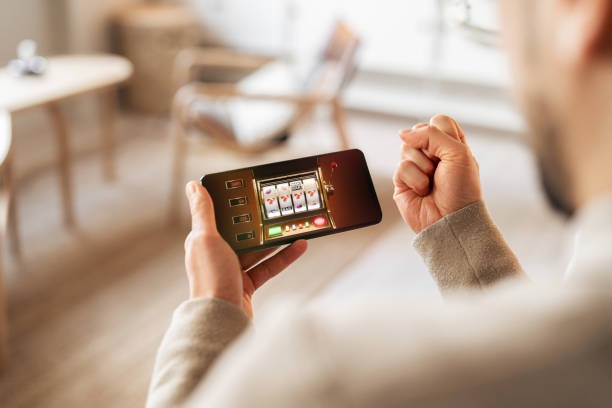
App versus web browser: performance and features on bonus4d
The bonus4d Android APK and web app share the same account and game library, but differ slightly in speed and notifications. Our native Android app caches game assets locally, so slot tournaments, Liga 1 markets, and live-dealer feeds load faster after your first use. The app also sends push notifications for deposit confirmations, withdrawal status updates, and special tournament events (e.g., Liga 1 playoff markets or Piala Indonesia draws). Web-app access is equally secure and works on all devices, but relies on your internet connection for every asset load.
Choose the Android APK if you play frequently and want instant notifications. Choose the web app if you prefer simplicity, multi-device access, or if you use iOS exclusively. Both paths deliver the same account balance, payment methods (DANA, e-wallet, mobile banking, local payment, online payment, e-wallet, bank transfers), and tournament schedules.
Device compatibility and system requirements for bonus4d
Our Android APK supports devices running Android 7.0 or later. iOS users need Safari on iOS 12.0 or later to access the mobile web app. We do not publish bonus4d on the Google Play Store or Apple App Store; installation is direct from our site only. Older devices or custom Android builds may encounter compatibility warnings—if so, ensure you have enabled installation from unknown sources in your security settings.
Troubleshooting common installation and login issues on bonus4d
If your device shows "This app is not trusted" or refuses to install the APK, go to Settings → Security → Unknown sources and confirm permission. Some devices cache old app data—if you experience login loops or blank screens, uninstall the app, restart your phone, and reinstall. If two-factor SMS codes do not arrive, check your phone number in your bonus4d account settings and request a new code; if the problem persists, contact our support team via live chat or email with your username and a screenshot of the error.
Certificate and update notifications
The bonus4d app checks for updates automatically. If you see a certificate warning, your device date and time may be incorrect—check your device settings and set the correct date and time zone.

Account security, data, and permissions on bonus4d
The bonus4d app requests permissions for camera (to upload your ID document during KYC verification), contacts (to help you recover your account if you lose access), and location (optional, used only to customize tournament notifications for cities like Medan, Bandung, and Semarang during Idul Adha and other holidays). We encrypt all data in transit using industry-standard SSL/TLS protocols. Your personal data—name, email, banking details, and transaction history—is stored on encrypted servers and never shared with third parties except where required by law or anti-money-laundering regulations.
Enable two-factor authentication (SMS or email) in your account settings. This is our strongest defense against unauthorized login attempts. If you suspect your account has been compromised, change your password immediately, review your recent logins in the Account Security section, and contact our support team.
Why mobile access matters for bonus4d users
Mobile access lets you stay updated on football tournaments (Champions League, Premier League, Liga 1, Piala AFF), deposit during commutes via e-wallet, and join slot tournaments in real time. We designed bonus4d for the way people actually play—on their phone, wherever they are. Whether you are based in Jakarta, Surabaya, or another supported location, the app keeps your account secure and your options open.
App Strengths
- Faster load times after first use
- Push notifications for deposits and tournaments
- Offline caching for game rules and schedules
Web-App Strengths
- No installation or permissions needed
- Works on iOS, Android, and desktop equally
- Always up to date (no manual updates)
We provide support via live chat and email for app installation, login issues, and account security questions during business hours in English and Indonesian.